
Which template to send when
A game launch sequence is the part of email marketing for games that matches each email to the player's stage, from signup to after release.
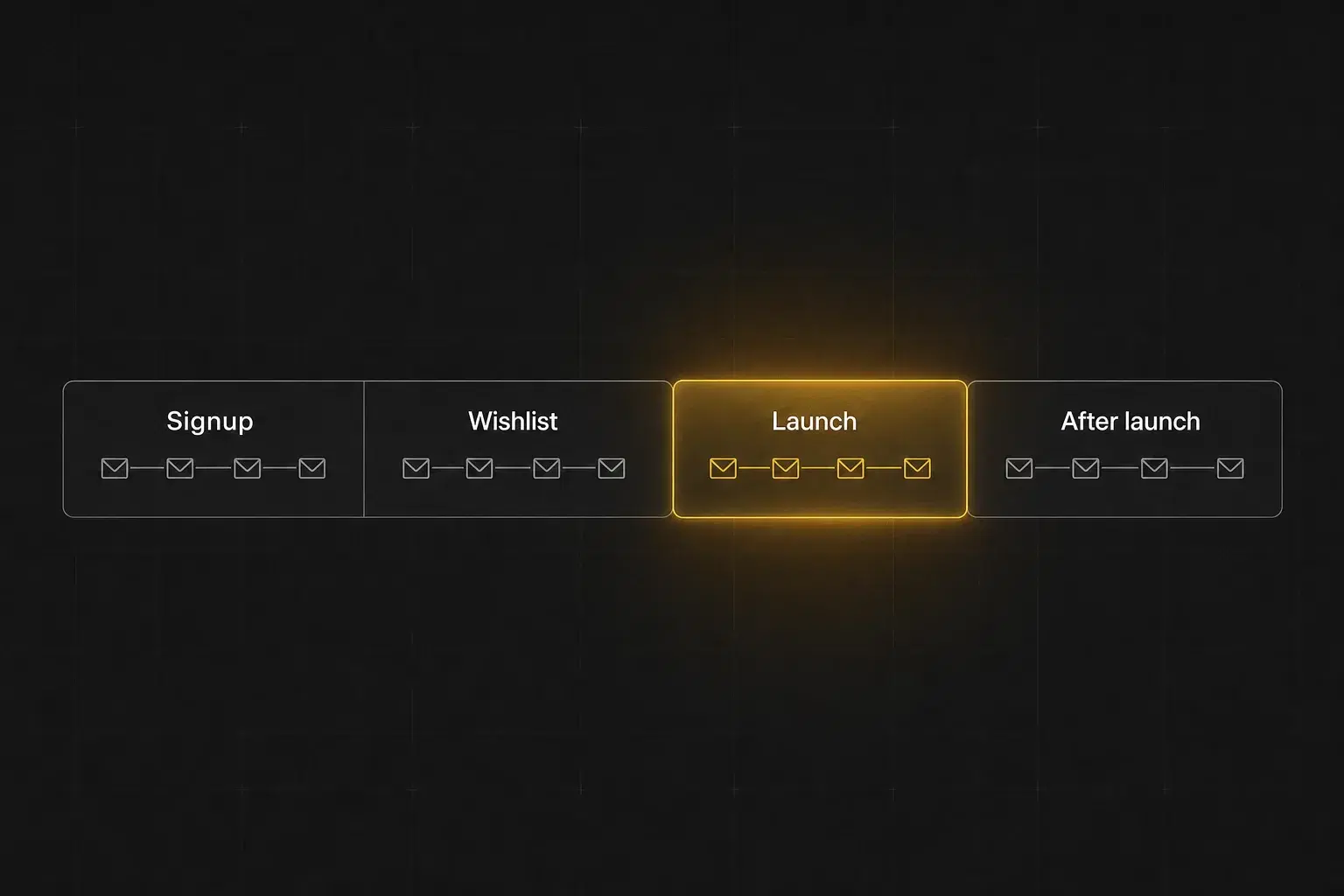
| # | Template | Send when | One action |
|---|---|---|---|
| 1 | Welcome email | A player has just joined your list. | Wishlist on Steam |
| 2 | Steam page is live (wishlist ask) | Your Steam page goes live, or you have subscribers who have not reached it yet. | Wishlist on Steam |
| 3 | Demo release | Your public demo goes live. | Play the demo |
| 4 | Playtest invite | You are recruiting for a closed or limited playtest. | Join the playtest |
| 5 | Steam Next Fest announcement | Your game is taking part in Steam Next Fest. | Play the demo |
| 6 | Launch date reveal | Your release date becomes public. | Wishlist on Steam |
| 7 | One month to launch | About 30 days before release. | View on Steam |
| 8 | One week to launch | Seven days before release. | Wishlist on Steam |
| 9 | Launch day | The game releases. | Buy on Steam |
| 10 | Launch discount ending | A real launch discount is about to end. | View on Steam |
| 11 | Review request | Players have had time to form an opinion. | Leave a Steam review |
| 12 | Major update | A significant post-launch update goes live. | See the update |
| 13 | DLC release | Your DLC is available. | View the DLC |
| 14 | Win-back | A player or subscriber has stopped engaging. | See what's changed |
Your own launch email matters because Steam sends wishlisters one automatic notification at release, and you control neither its wording nor who receives it.
Before launch: templates 1 to 5
Pre-launch emails turn a signup into a Steam wishlist, a demo play or a playtest seat, one ask per email.
1. Welcome email
- Send when
- A player has just joined your list.
- Audience
- New subscribers.
- Goal
- Confirm the signup and move them to one next action.
Subject: You're in: welcome to [Game name]
Preview text: Here's what we'll send you, plus one thing you can do now.
Thanks for following [Game name].
We'll only email you when it matters: demos, playtests, big development milestones and launch news.
If you haven't already, you can wishlist the game on Steam here:
[Button: Wishlist on Steam]
We'll send the next update when there's something worth showing you.
[Your name], [Studio name]
2. Steam page is live (wishlist ask)
- Send when
- Your Steam page goes live, or you have subscribers who have not reached it yet.
- Audience
- Subscribers who have not wishlisted.
- Goal
- Turn owned interest into a wishlist.
Subject: [Game name] is now on Steam
Preview text: Want to know when it launches? Wishlist it here.
[Game name] now has a live Steam page.
If it looks like your kind of game, a wishlist is the most useful thing you can do right now. Steam will tell you when it releases.
[Button: Wishlist on Steam]
Want another look first? Here's the latest [trailer / gameplay clip]: [Link]
3. Demo release
- Send when
- Your public demo goes live.
- Audience
- Warm list, prioritising players who have not played yet.
- Goal
- Drive demo plays.
Subject: The [Game name] demo is live
Preview text: You can play it now on Steam.
The [Game name] demo is live.
It covers [what the demo contains], including the part we've worked hardest on: [core mechanic].
Inside the demo:
- [Feature 1]
- [Feature 2]
- [Feature 3]
If you play it, we'd love your feedback on [one specific question].
[Button: Play the demo]
4. Playtest invite
- Send when
- You are recruiting for a closed or limited playtest.
- Audience
- Engaged subscribers and community members.
- Goal
- Get the right players into the test.
Subject: Want to play [Game name] before launch?
Preview text: We're opening a new playtest on [Date].
We're opening a [closed / limited] playtest for [Game name] on [Date].
This test focuses on [system or content], and we're looking for players who will tell us what works and what doesn't.
- When: [Date, time, timezone]
- Length: [Duration]
- What we're testing: [One sentence]
- What we need from you: [Feedback ask]
[Button: Join the playtest]
Note: Say spaces are limited only if they are.
5. Steam Next Fest announcement
- Send when
- Your game is taking part in Steam Next Fest.
- Audience
- Full warm list.
- Goal
- Concentrate demo plays and wishlists into the event week.
Subject: [Game name] is in Steam Next Fest
Preview text: Play the demo and tell us what you think.
[Game name] is in Steam Next Fest.
The demo is live for the event, and it's the best build we've put in players' hands so far.
Haven't played yet? Start here:
[Button: Play the demo]
Already played? Three things help us most:
- Wishlist the game to follow it to launch
- Send feedback on [Discord / form link]
- Share the demo with a friend who likes [genre]
Launch window: templates 6 to 10
Launch-window emails give the date, the price and the link, then get out of the way.
6. Launch date reveal
- Send when
- Your release date becomes public.
- Audience
- Full list.
- Goal
- Set a concrete milestone and drive wishlists.
Subject: [Game name] launches [Release date]
Preview text: The date is official.
It's official: [Game name] launches on [Release date].
[One sentence on what the player will be doing in the game.]
Between now and launch we'll show you [two or three things coming].
Want Steam to remind you on launch day? Wishlist it here:
[Button: Wishlist on Steam]
Thanks for following the project this far.
7. One month to launch
- Send when
- About 30 days before release.
- Audience
- Warm list, recent engagers first.
- Goal
- Bring the game back to mind and show what changed.
Subject: 30 days until [Game name]
Preview text: Here's what's changed since you last saw it.
We're one month from launching [Game name].
Since [the demo / announcement / last update], we've changed:
- [Change 1]: [why it matters]
- [Change 2]: [why it matters]
- [Change 3]: [why it matters]
If you played an earlier build, this is the biggest reason to look again: [specific improvement].
[Button: View on Steam]
Launch: [Release date].
8. One week to launch
- Send when
- Seven days before release.
- Audience
- High-intent segments first, then the wider list.
- Goal
- Prepare players to act on launch day.
Subject: [Game name] launches next week
Preview text: Release time, price and everything you need to know.
[Game name] launches in one week.
- Date: [Release date]
- Time: [Time and timezone]
- Price: [Price]
- Launch discount: [Discount, only if real]
- Platforms: [Platforms]
Planning to play at launch? Wishlist it now so Steam tells you when it goes live.
[Button: Wishlist on Steam]
We'll send one more email when the game is out.
9. Launch day
- Send when
- The game releases.
- Audience
- Everyone on your launch list.
- Goal
- Purchase or play.
Subject: [Game name] is out now
Preview text: You can play it today on [Platform].
[Game name] is out now.
[One sentence reminding the player of the core hook.]
Whether you followed development, played the demo or waited on your wishlist, this is the full game.
[Button: Buy on Steam]
- Price: [Price]
- Launch discount: [Discount, if any]
- [One platform or support detail]
- [One launch feature worth knowing]
Thanks for being here before launch.
10. Launch discount ending
- Send when
- A real launch discount is about to end.
- Audience
- Interested players who haven't bought.
- Goal
- Convert price-sensitive players.
Subject: [Game name]'s launch discount ends [Day]
Preview text: [Discount]% off until [Time and date].
A quick reminder: the [Discount]% launch discount on [Game name] ends [Time and date].
Since launch we've also [shipped a patch / added a feature], if you were waiting for that.
[Button: View on Steam]
After [Date], the game goes back to [Full price].
Note: Send this only when the discount and its end date are real.
After launch: templates 11 to 14
Post-launch emails ask for reviews and bring players back with a real reason: an update, a DLC or a fix.
11. Review request
- Send when
- Players have had time to form an opinion.
- Audience
- Players you can reasonably infer have played.
- Goal
- Honest Steam reviews.
Subject: Played [Game name]? We'd like your review
Preview text: A Steam review helps other players decide if it's for them.
If you've spent time with [Game name], we'd appreciate an honest Steam review.
Reviews help other players see what the game does well, and they tell us what to fix next.
[Button: Leave a Steam review]
Positive or negative, write what you actually think.
Hit a bug or need help? Use [support link] and we'll help you directly.
Note: Never offer anything in exchange for a review. Send it to everyone who played, whatever you expect them to say.
12. Major update
- Send when
- A significant post-launch update goes live.
- Audience
- Owners, lapsed players and interested non-buyers.
- Goal
- Bring players back.
Subject: [Headline feature] just arrived in [Game name]
Preview text: [One sentence on the update.]
A major [Game name] update is live today.
The headline change: [Headline feature].
We've also added:
- [Change 1]
- [Change 2]
- [Change 3]
If you haven't played in a while, the biggest difference you'll notice is [specific improvement].
[Button: See the update]
13. DLC release
- Send when
- Your DLC is available.
- Audience
- Owners and highly engaged players.
- Goal
- DLC purchase or a return to the game.
Subject: [DLC name] is out now
Preview text: New [content type] for [Game name].
[DLC name] is now available for [Game name].
It adds [the core promise in one line].
Inside:
- [Content 1]
- [Content 2]
- [Content 3]
If you've already finished [base-game milestone], this is built for you.
[Button: View the DLC]
14. Win-back
- Send when
- A player or subscriber has stopped engaging.
- Audience
- Lapsed subscribers or players.
- Goal
- Give them a real reason to return.
Subject: What's changed in [Game name]
Preview text: Here's what's new.
It's been a while, so here's the short version of what changed in [Game name]:
- [Major change 1]
- [Major change 2]
- [Major change 3]
If [the thing players asked for] was why you stopped, start there.
[Button: See what's changed]
If the game isn't for you any more, unsubscribe below and we'll stop sending updates.
Subject line rules for game emails
A good game email subject line names the event and the reason to open now. Use these five rules:
- Name the event. "The demo is live" tells the player exactly what happened.
- Use urgency only when the deadline is real. Launch dates, playtest windows and discount end dates are real deadlines.
- Avoid clickbait. Google's sender guidelines say the subject and headers "should accurately represent the sender identity and message content."
- Judge a subject by what happens next. A subject that earns more opens but fewer demo plays or purchases is a worse subject.
- Localise the big sends. Translate the meaning, game terms and store details, not only the words.
We have no sourced open or click benchmark for these subject lines yet, so test them on your own list.
Before you send: checklist
A pre-send check catches the mistakes players notice before the email reaches them. Run it on every send:
- Every date, time, timezone and price is correct.
- The Steam link works and carries your tracking parameters (UTMs, the tags that show which email sent the click).
- The email goes to the right segment.
- Consent and suppression lists are applied.
- The email reads well on a phone.
- There is one primary call to action.
- Translations keep your game's own terms intact.
- Your sending domain has SPF and DKIM set up (the DNS records that prove you're allowed to send as your domain).
- Unsubscribing takes one click.
- You'll measure clicks and Steam actions, not only opens.
Studios on our sales calls describe emails landing "straight into spam or the void where players never see them." Authentication is the first fix.
Google's guidelines require SPF or DKIM from every sender. Senders of more than 5,000 messages a day to Gmail also need SPF, DKIM, DMARC and one-click unsubscribe.
That is our summary of Google's guidance, not legal advice.
Where Engage fits
Engage is Immutable's email product for game launches: it sends lifecycle emails automatically instead of by hand.
Its default campaigns cover welcome on signup, a weekly digest, milestone triggers, win-back after inactivity and a launch countdown. Each email is personalised per player.
For Ubisoft's Might and Magic: Fates, a free-to-play card game, Ubisoft paired its own publishing with an Immutable capture page plus email, Telegram and Discord.
That programme reached 6.64% Day 1 player conversion vs 2.37% for the standard storefront flow (2.8x). By Day 14 it was 10.22% vs 3.43% (3.0x).