

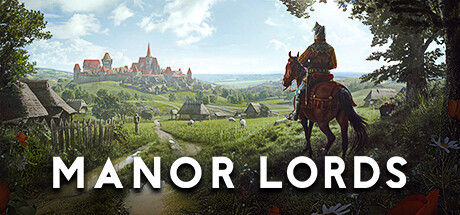
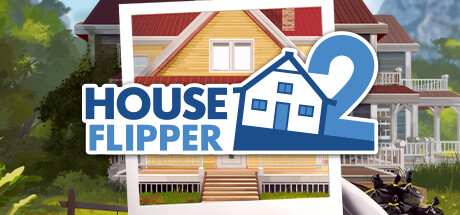

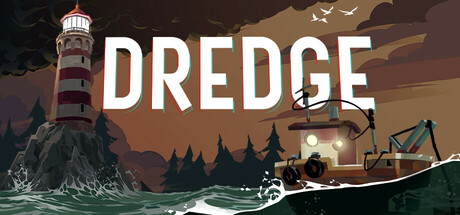

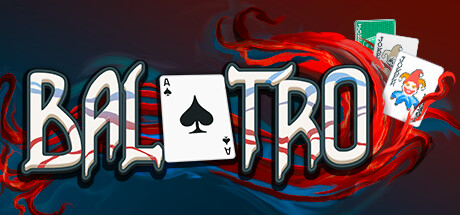



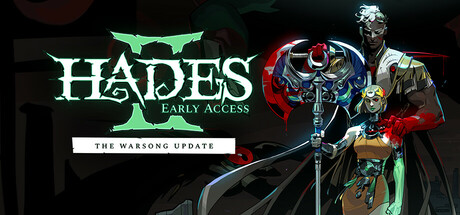
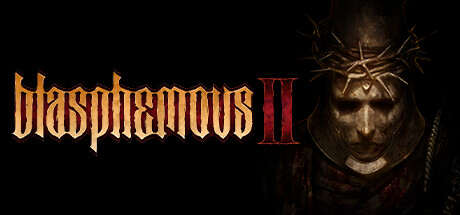
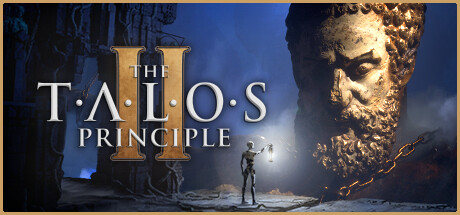

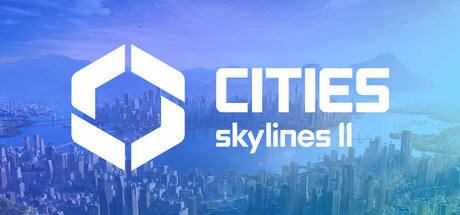




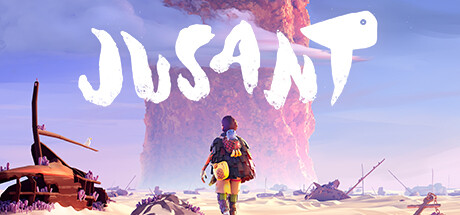
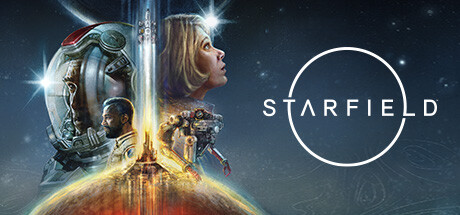




Store capsules: the four every game uploads
These are the four capsule sizes you upload through Steamworks and that surface across the public store. The header is what most players see first. The small capsule is what Steam scales down to thumbnail size and pipes through search, top-sellers, queues, and almost every browse page. The main and vertical capsules are reserved for sale pages and front-page promotions you may never get featured on, but you upload them anyway because Valve uses them automatically when surfaces open up.
| Capsule | Source size | Rendered size | Surfaces |
|---|---|---|---|
| Header Capsule | 920 × 430 | Up to full size on store page hero | Store page header, library, 'More Like This', Daily Deals |
| Small Capsule | 462 × 174 | 120 × 45 and 184 × 69 (auto-generated) | Search results, top sellers, new releases, browse pages, recommendation queues |
| Main Capsule | 1232 × 706 | Up to full size in featured carousel | Main store carousel, sale event hero, featured promotions |
| Vertical Capsule | 748 × 896 | Up to full size in vertical promotions | Homepage vertical promos, seasonal sale grids |
| Page Background | 1438 × 810 | Behind store page content (optional) | Store page background (auto-cropped on mobile) |
Asset rules and dimensions come from Steam's official Graphical Assets documentation. Dimensions are stable but Valve has tightened the rules twice in recent years (September 2022 and August 2024); check the source if you're shipping in 2027 or later.
Free store page audit
Get your capsules reviewed before you upload them
Bring your current art to a 30 minute call. We'll review your store page against our dataset from 800+ games and show you the fixes that move wishlists.
Get my free store page audit★★★★★ Trusted by Ubisoft, Netmarble, and 800+ studios
Library assets: the four players see after they own you
Library capsules surface inside the Steam client once a player owns the game. Different surfaces, different aspect ratios, and a different design constraint. The library is portrait-grid heavy, where the store is landscape-rail heavy. The library logo is uploaded as a transparent PNG and overlaid on the library hero, so design those two together.
| Asset | Source size | Rendered size | Surfaces |
|---|---|---|---|
| Library Capsule | 600 × 900 | Up to full size in library grid | Steam library grid view (the player's installed games) |
| Library Hero | 3840 × 1240 | Top of selected-game view | Library hero strip when a game is selected |
| Library Logo | 1280 × 720 | Overlaid on library hero | Library hero overlay (transparent PNG required) |
| Client Icon | 32 × 32 | 32 × 32 | Windows taskbar, Mac dock, file association icon |
Screenshots and trailer: the after-the-click work
Once your capsule wins the click, screenshots and the trailer do the rest. Steam mandates at least five screenshots at 1920 × 1080 minimum, widescreen, and (under the rule update) in-game gameplay only. No concept art, no pre-rendered cinematics, no awards bug, no marketing text laid over the image.
The trailer renders at the top of the gallery before the first screenshot. Standard YouTube/MP4 specs apply (1080p recommended, 60fps if the genre warrants it). Lead with gameplay in the first three seconds. The trailer's drop-off curve is steeper than the capsule's.
We don't go deep on screenshots here. There's a dedicated Steam screenshots guide.
The thumbnail test: design for 120×45 first
Steam auto-generates a 120 × 45 thumbnail from your 462 × 174 small capsule. That thumbnail is what appears in the home page rails, the search auto-suggest, the recommendation popovers, and most of the discovery surfaces Steam shows pre-purchase shoppers. It's roughly the size of a postage stamp. Most capsules collapse at that size.
The thumbnail test is simple: render your capsule at 120 × 45 in your browser dev tools or design tool. Then ask three questions:
- Can a stranger tell what kind of game this is?
- Can they read the title?
- Does it stand out against the capsules around it on the Steam dark background (#1b2838)?
If any answer is no, the capsule fails the test. Iterate until all three are yes. Then scale up. A capsule that works at 120 × 45 also works at 920 × 430. The reverse is almost never true.
What's banned on a capsule
Steam tightened capsule content rules in September 2022 and again in August 2024. The base capsule is now strictly artwork + game name + subtitle. Valve will reject submissions that cross the line, and games with non-compliant capsules can be removed from promotional surfaces.
| Element | Status |
|---|---|
| Game artwork, the game name, and official subtitle | Allowed. These are the only required elements |
| Review scores, percentages, or 'Overwhelmingly Positive' badges | Banned on the base capsule |
| Award logos (BAFTA, IGF, Steam Awards, etc.) | Banned on the base capsule |
| 'NEW', 'COMING SOON', sale percentages, discount copy | Banned on the base capsule |
| Cross-promotional logos (publisher, console, other games) | Banned on the base capsule |
| Marketing taglines, feature lists, generic copy | Banned. Capsules are art, not ad copy |
| Temporary promotional text (sale, demo announce, award win) | Allowed via Artwork Overrides only. Must be localised. Must expire within 30 days |
Full rules: Graphical Asset Rules (Steamworks). The Artwork Overrides system is the proper place to add temporary promotional text. It's localised, expires automatically, and stays compliant.
What your capsule is judged on
Sizes are the trivial part. The hard part is making each size actually work. The Steam Analyzer scoring rubric breaks capsules down into six dimensions. Every dimension is scored at full size, then re-scored at the small (231 × 87) and tiny (120 × 45) stress tests. A capsule that scores 9 at full size but 4 at tiny size is a capsule that fails in production.
- Genre Clarity — Can a player name the genre at tiny size (120×45)? Rewards theme-specific cues, familiar iconography, and clear gameplay signals. Penalises mixed or misleading messaging.
- Title Readability — Judges letterforms, spacing, contrast, and legibility at both full and tiny sizes. Rewards titles placed on a clean background zone. Penalises decorative fonts that collapse small.
- Contrast & Color — Does the capsule pop against Steam's dark #1b2838 background in a quick scroll? Focuses on value separation and silhouette clarity, checked in grayscale. Penalises muddy mid-tones.
- Uniqueness & Polish — How premium and distinct does it feel vs. other genre capsules? Rewards a clear visual hook, clean craft, and intentional design. Penalises generic or template-looking art.
- Brand Consistency — Scored on internal cohesion only: consistent style, palette, and recognisable identity cues. Rewards a signature motif or character that could be recognised across a game's library.
- Composition — Checks focal point, hierarchy, balance, and crop resilience across all sizes. One clear primary subject at small size. Penalises clutter, edge-hugging titles, and awkward empty space.
Free store page audit
Find out what your store page is costing you in wishlists
We'll review your Steam page against our dataset from 800+ games, and walk you through the highest impact fixes on a 30 minute call
Get my free store page audit★★★★★ Trusted by Ubisoft, Netmarble, and 800+ studios